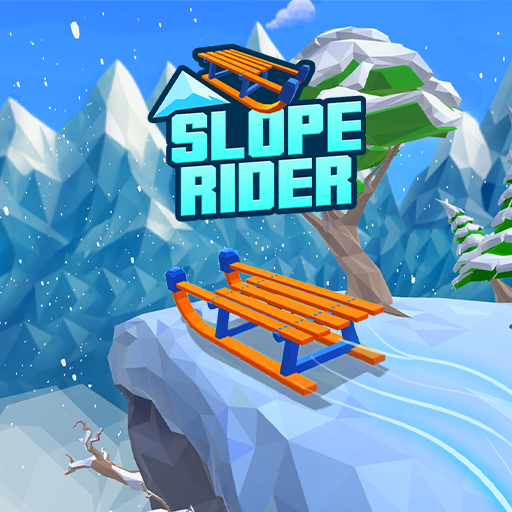
Play Slope Rider Unblocked
Choose Play in the player above. No download or sign-in to this website is needed. The game comes from AZGames and may show its own ads or notices.
Loading and Keyboard Troubleshooting
| Symptom | What to try |
|---|---|
| The page opens, but the game stays blank | Choose Play if the cover is still showing. Otherwise open Help and compare the Publisher page, where permitted, to check whether the provider loads. |
| Arrow keys scroll the page or do nothing | Start a run from the game menu, then click inside the game for keyboard focus. Use a physical keyboard. |
| Loading stalls or shows an error | Check your connection and the player’s status. Try Reload game once if needed; your current run may be lost. |
| A managed device shows a blocked message | Ask the administrator whether games and the provider are permitted. This page cannot change device or network restrictions. |
Is Slope Rider Unblocked at School or Work?
“Unblocked” describes what players are looking for; it is not a promise that a managed network will allow this game. Your browser must be able to load both this page and the game provider. Play only where permitted. If the network blocks games, ask the network administrator about its rules.
How to Play: Controls & Tips
Click inside the game. Use ← and → to steer and ↑ to jump. The sled moves forward automatically. Look ahead for an open route and check your landing before jumping. Skip gifts that require an unsafe turn.
For the full original-game guide, visit Slope Rider. To try a separate game, visit Slope Rider 3D.
On a Chromebook, iPad and Phone
Use a physical keyboard for the arrow-key controls, including on a Chromebook where games are permitted. Managed devices can restrict loading. iPad and phone touch play is not verified; fullscreen and the larger view do not add touch controls.
Why Do Schools Block Games Like This?
Schools may restrict games to keep lessons focused, manage shared bandwidth or limit access to external content. Policies vary. This website cannot change those policies or provide a way around them.
FAQ
Why does this page open but the game stay blank?
The page and game load from different addresses. Choose Play, then check Help and compare the publisher page where games are permitted. A working page alone does not show that the game provider is reachable.
Why do the arrow keys scroll the page?
The game may not have keyboard focus. Start a run from its menu and click inside the game, then use left/right arrows to steer and the up arrow to jump.
Will Reload game keep my run?
Reloading may lose the current run. Try the focus and connection checks first; use Reload game if loading remains stuck.
Can I use this on a school Chromebook?
Use a physical keyboard and play only where games are permitted. Managed devices may block the provider even when this page opens. Ask the administrator about access rules.
More Unblocked Games
You can also try Slope Rider 3D where games are allowed. It uses a separate provider address, so one game loading does not establish that another will load. Check the Sled Rider guide for other platform names and sources.